
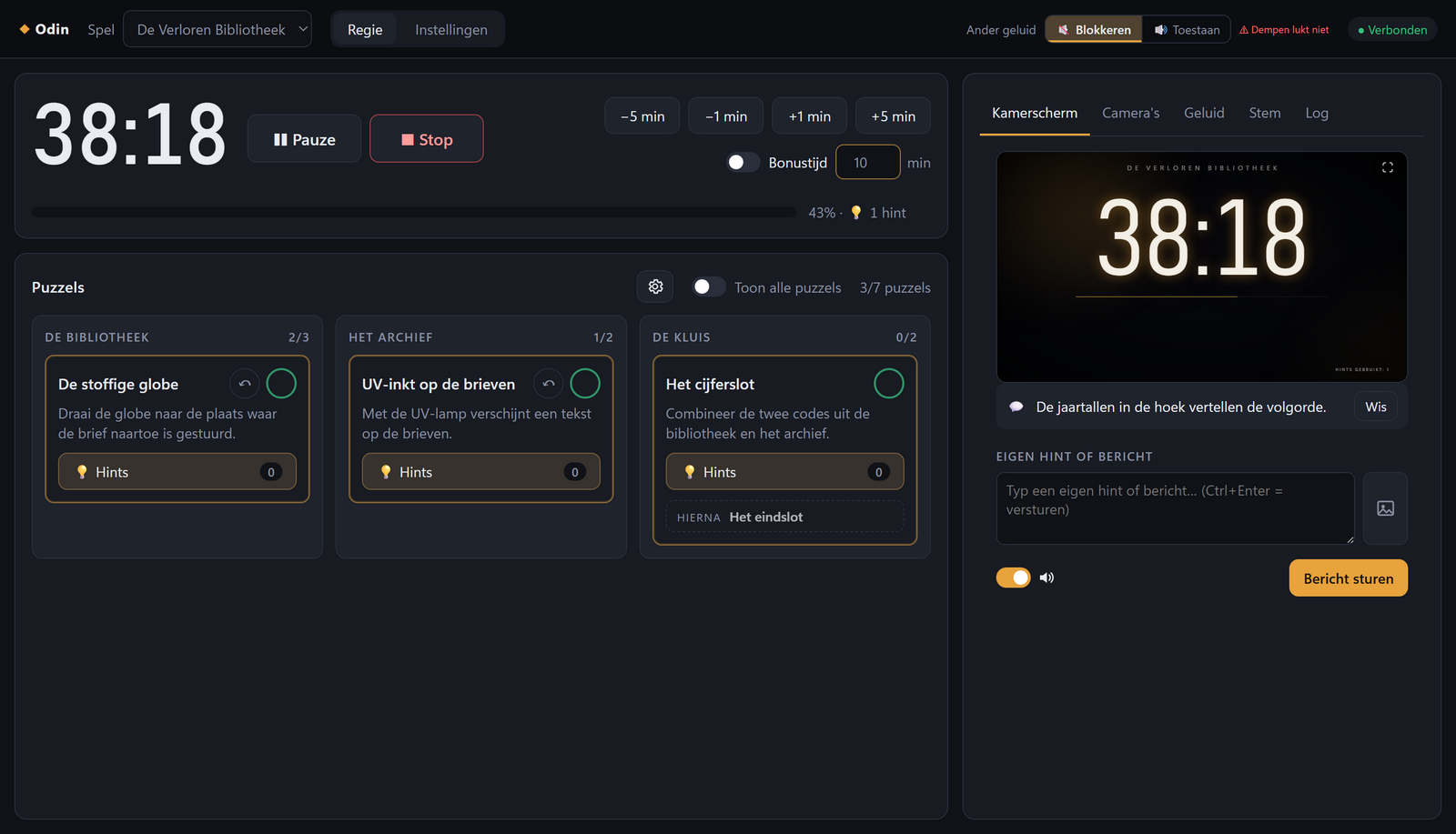
01Control screen
Everything you need during the game
Clock, progress, puzzle lines and hints on one screen. Send a hint with one click and see right away what shows up in the room.

Clock, hints, puzzles, room screen in several languages and sound (lighting, cameras and voice effects coming soon). On every room computer, with your games identical everywhere and insight into how groups perform.
Try it free for two weeks, no payment details needed. After that from € 12 per room per month. For Windows 10 and 11.
Your control computer sits with the game master, the room screen hangs in the room. Your account keeps everything in sync.
Create an account and confirm your email address. You immediately get two weeks to try everything, with no payment details.
Install Odin on the room computer and link it with a code from your portal. No password on the floor.
Build your game with puzzle lines and hints, set up the room screen and start. Game masters do not need to log in.
Everything you need during a game, on one screen. And everything you want to know afterwards. Click an image to view it larger.
Clock, progress, puzzle lines and hints on one screen. Send a hint with one click and see right away what shows up in the room.
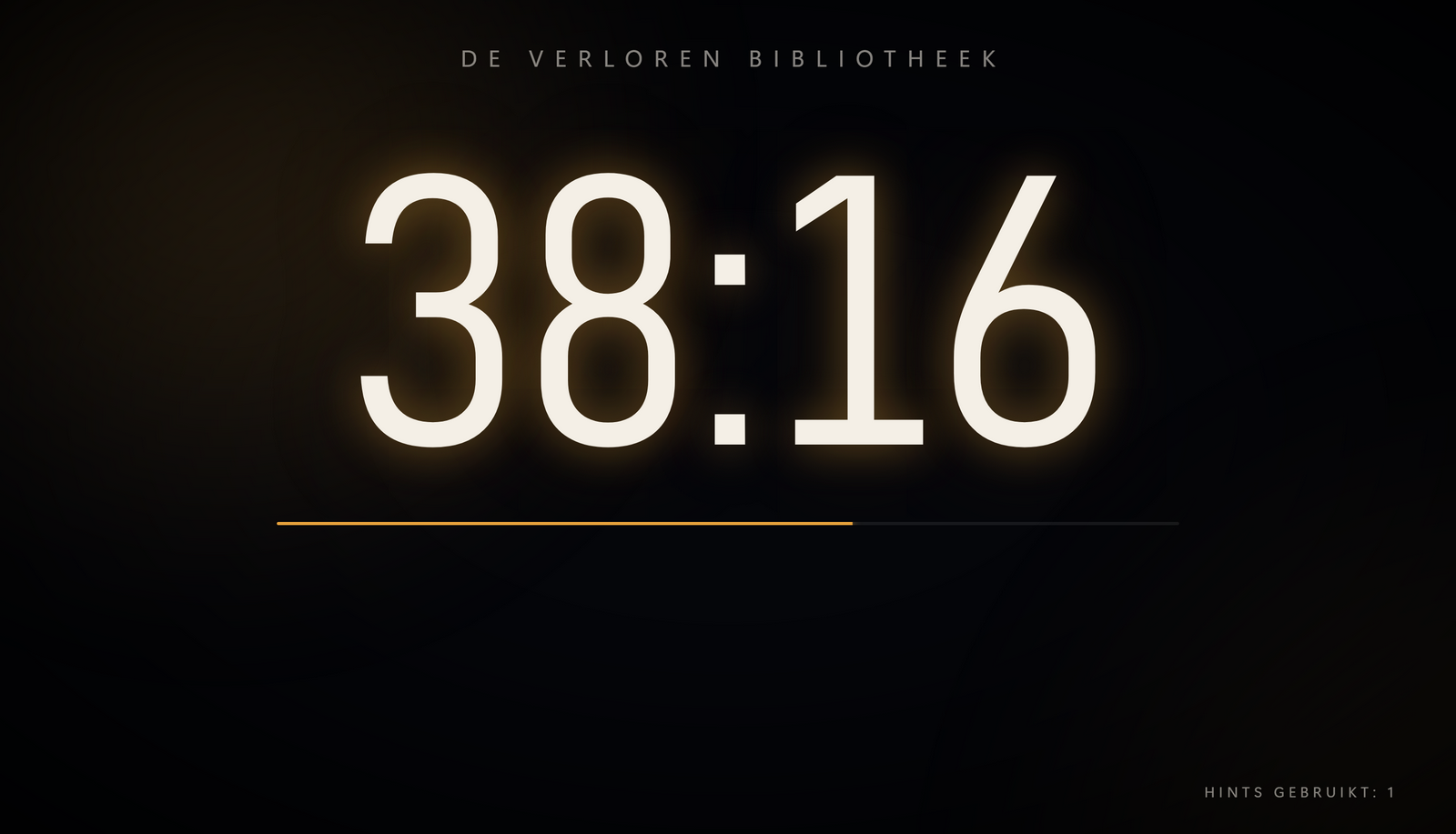
Clock, progress and hints for your guests, in your color and style and in the language of the group: Dutch, English, German, French, Spanish or Italian.
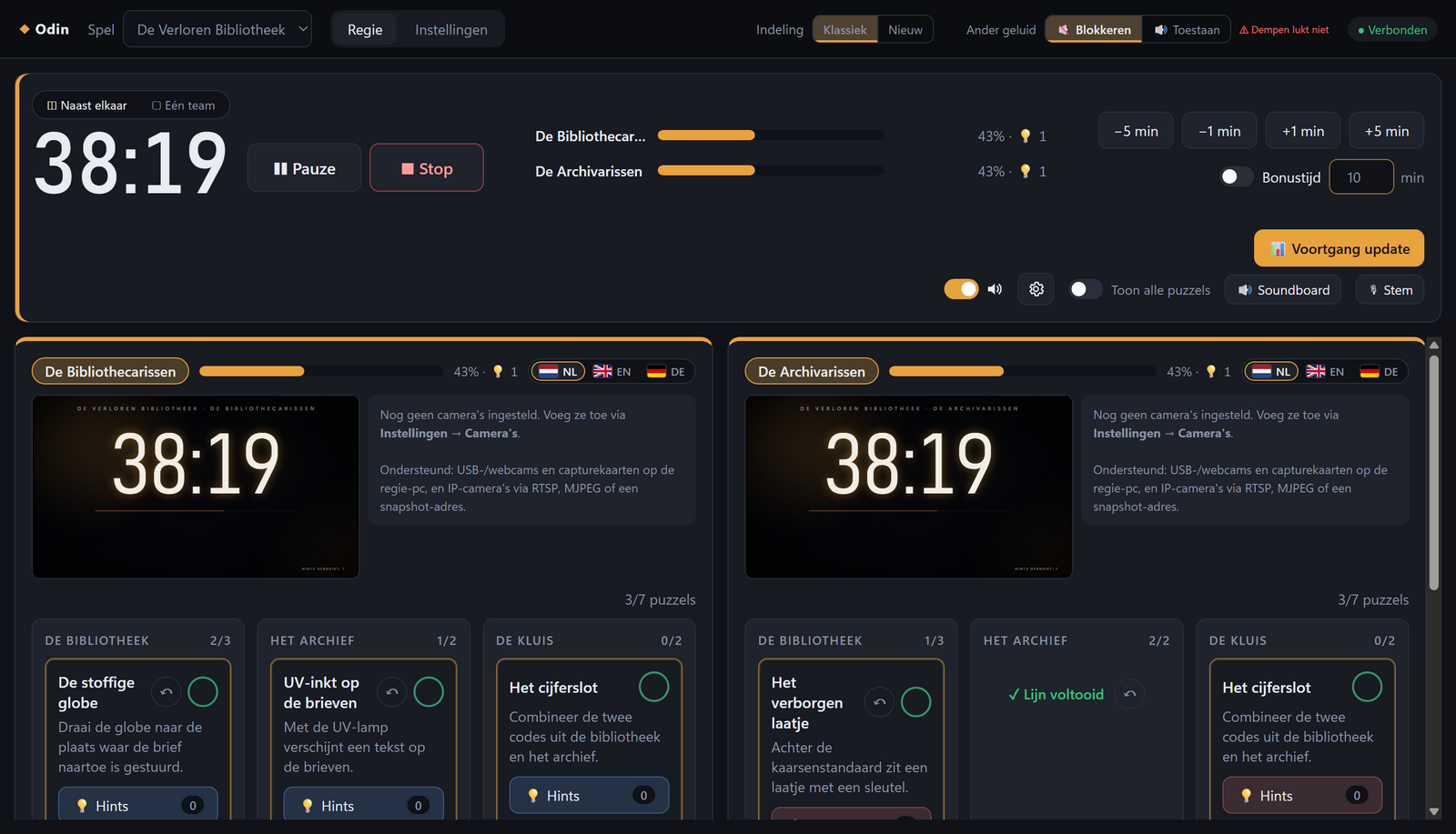
One clock, two rooms. Each team has its own progress, hints and its own room screen.
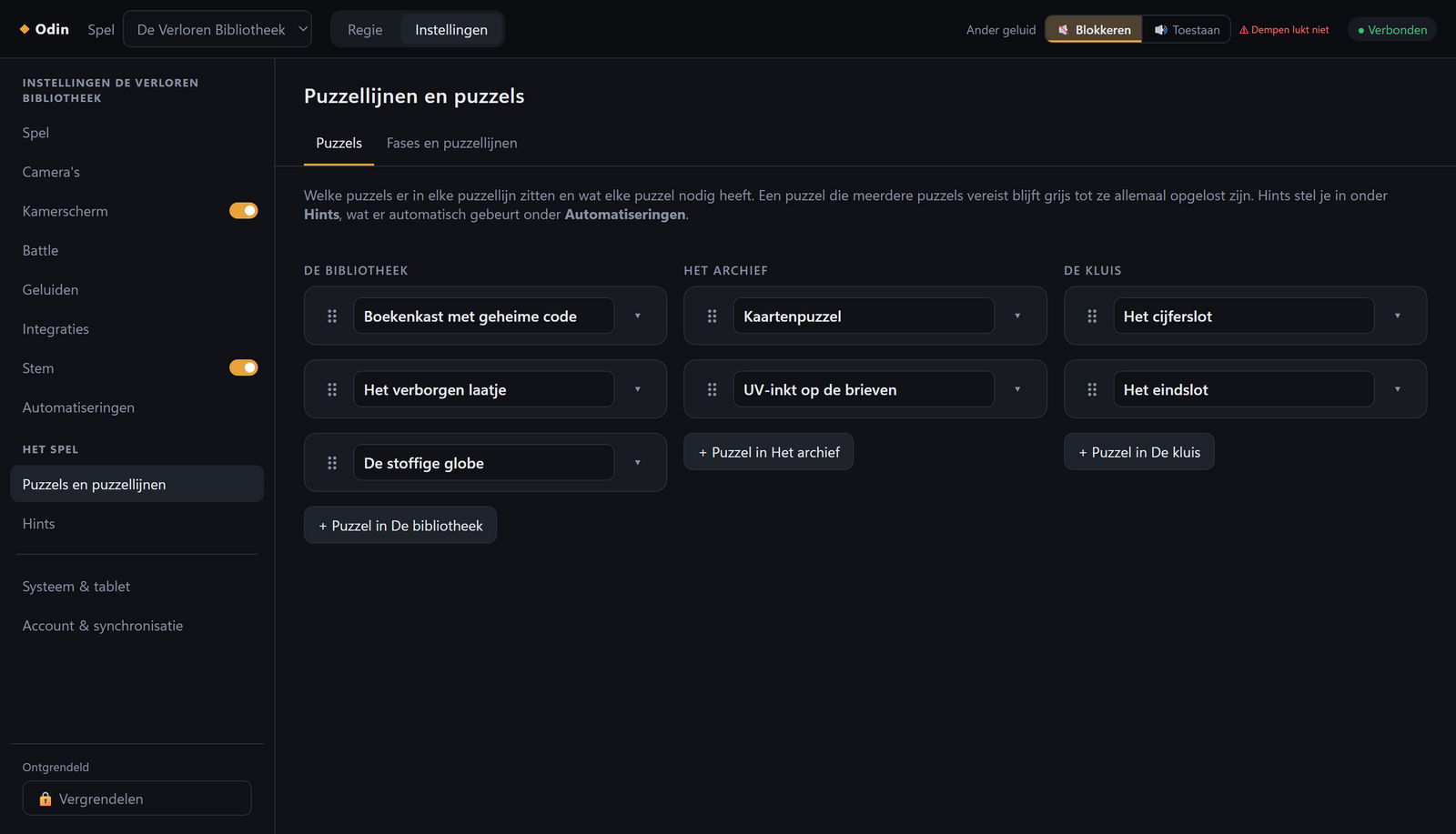
Puzzle lines, phases, hints and what happens when a puzzle is solved. You use a game on all your computers.
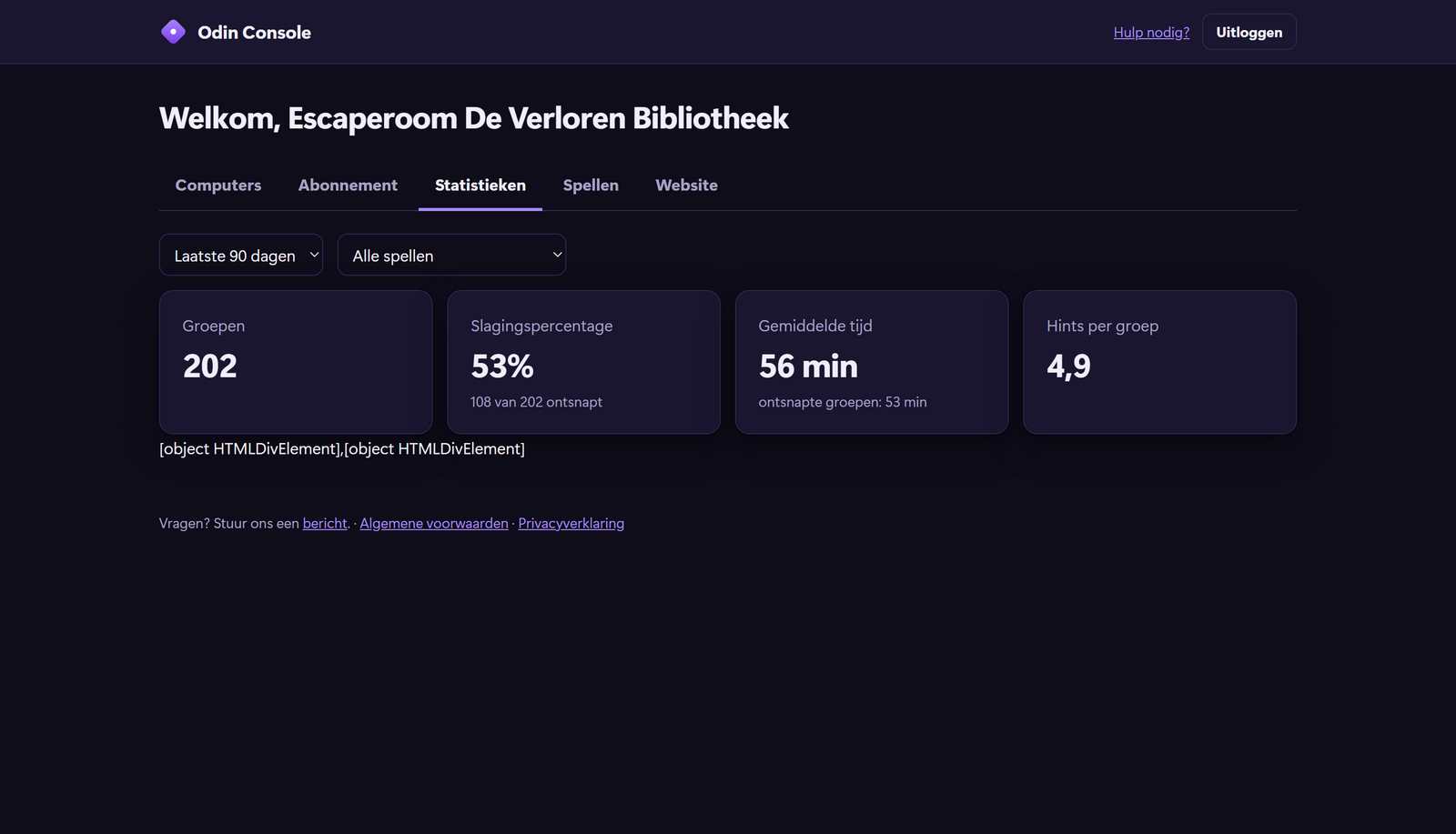
Groups, success rate, average time and the puzzle that costs the most hints. So you know where your game can still improve.
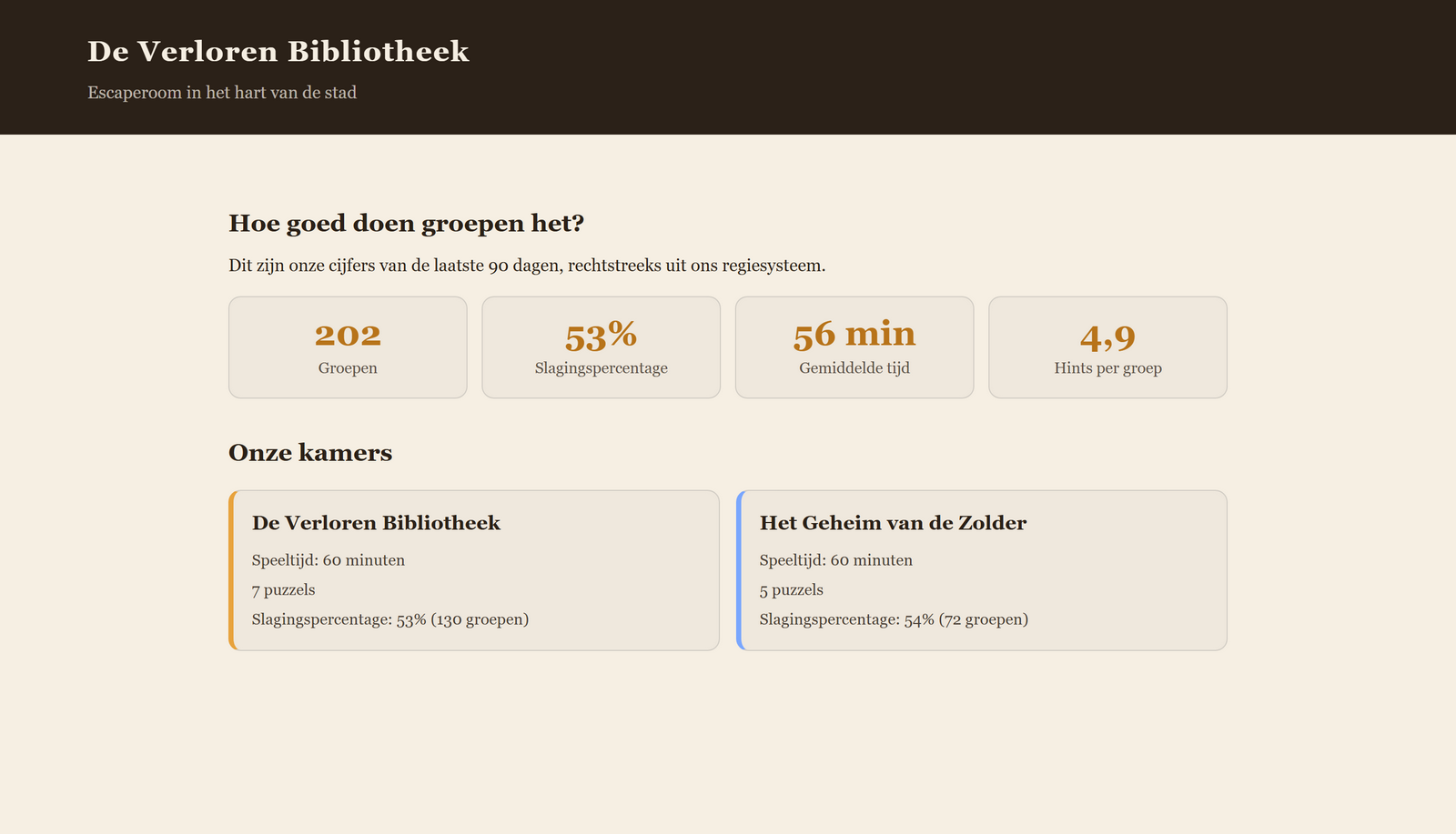
With the WordPress plugin or a snippet of code for any other website. Download them in your portal.
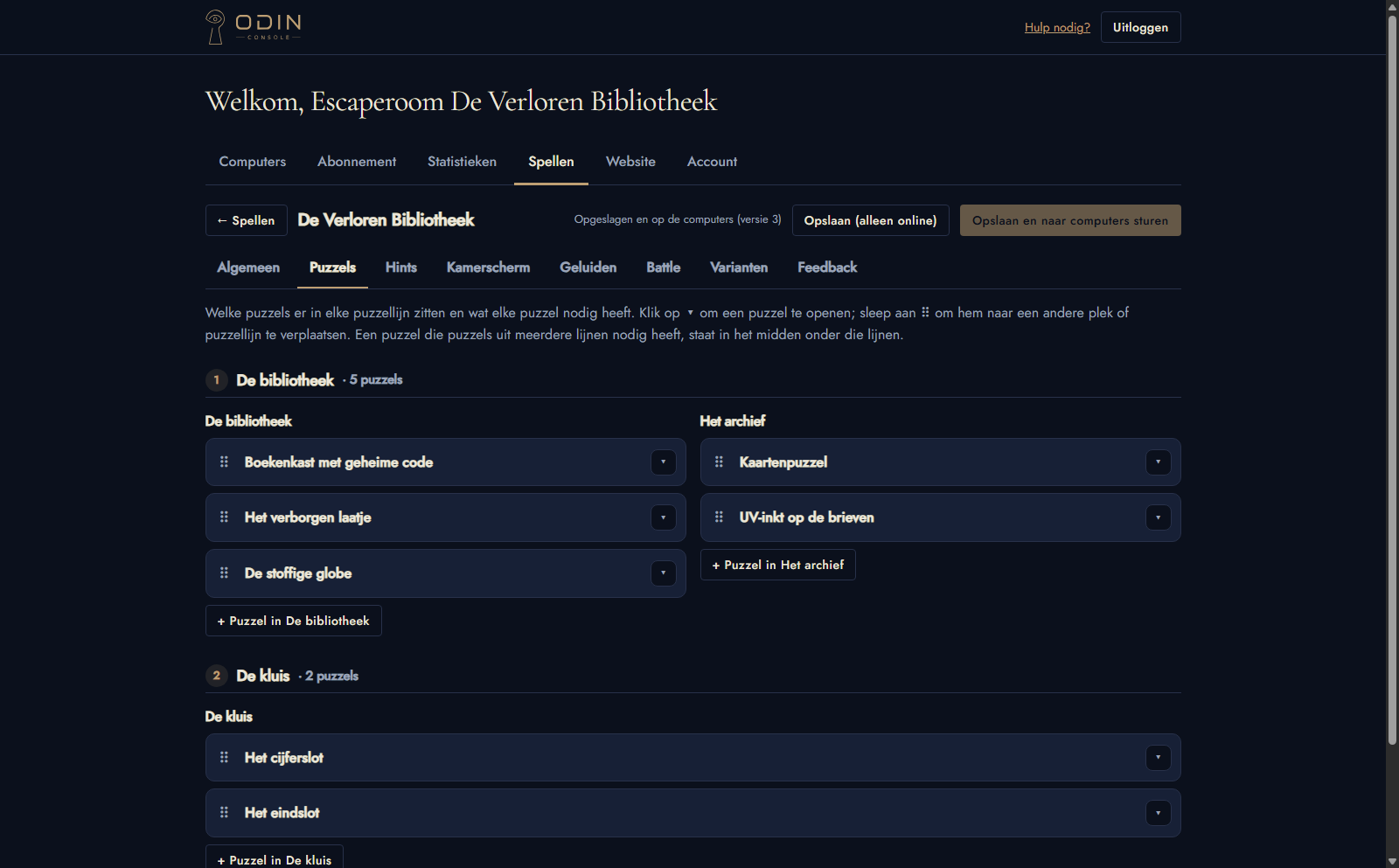
Create and edit your games on the website, with puzzles, hints in all languages and your room screen. Changes go to your computers automatically, and the other way around.
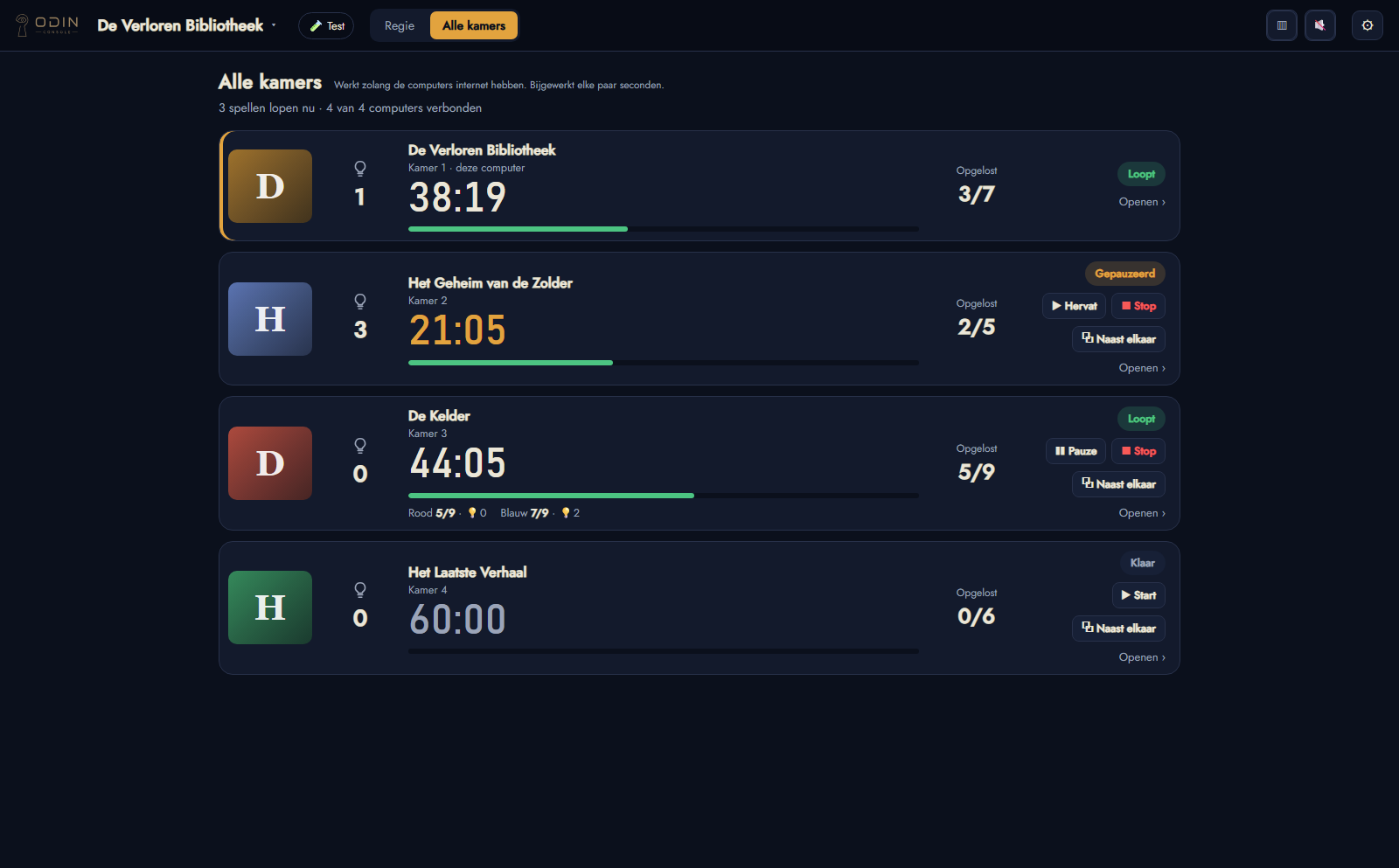
One screen with the clock, progress and hints of every room, updated live. Start, pause or stop a game from the tablet, or tap a room to open its control screen.
We test them thoroughly first, so they work the moment you need them. You get them automatically as soon as they are ready, at no extra cost.
Let Philips Hue and Govee move along at the start, on a hint, on a win and when time is up.
Watch along through USB and IP cameras, in the control screen or in a separate window on a second monitor.
Talk to your guests in a voice that fits the story. Just talking through the microphone already works today.
Start, pause, bonus time and minutes added or removed. A clear clock for you and a beautiful clock for your guests.
Hints in easy and cryptic versions, with text, image or sound. One tap and they are on the room screen.
Build your game from puzzle lines and phases. Odin keeps track of the order, the progress and what guests already have.
A room screen that matches your theme, with your own color, clock style and texts. On a second monitor, automatically full screen.
Dutch, English, German, French, Spanish and Italian. Hints are translated automatically, or you write them yourself.
Two teams at once with one clock, each with its own room screen, progress and hints. And the Progress update between the two.
A soundboard with hotkeys, end sounds and background music. Other sound on the computer is muted during the game.
Talk to your guests in a voice that fits the story. To one team or to both at once. Just talking through the microphone already works today.
Connect Philips Hue and Govee. Let the light move along at the start, on a hint, on a win and when time is up.
Watch along through USB and IP cameras (RTSP). In the control screen or in a separate window on a second screen.
Walk through the room with a tablet. The same control screen, with a PIN, on the same wifi network.
Make your game once and put it on every computer. Per computer you choose what goes along; screens and speakers stay local.
Groups, success rate, average time and which puzzle costs the most hints, per game and per period.
Show your statistics and your rooms on your site with a WordPress plugin or an add-on for any other website.
A game starts and runs just fine without internet. The license is checked daily, with plenty of margin.
Try it free for two weeks, no payment details needed. After that you pay per room computer.
Prices exclude 21% VAT. All details about the prices
No. A game starts and runs without internet. Odin checks once a day whether your subscription is valid and has plenty of margin: a computer without a connection keeps working for up to 30 days after the last check.
Your license is tied to your account, not to the computer. Link the new computer with a code from your portal and fetch your games. You can also restore the settings of the room (screens, speakers, cameras) from your backup.
Coming soon. You link your lamps and choose what happens at the start, on a hint, on a win and when time is up. This integration is still being tested extensively and is therefore not available yet.
Yes, with one account. Every room computer has a license. If you add a room halfway through the year, you only pay for the remaining time.
Dutch, English, German, French, Spanish and Italian. Per game you choose which languages are available. Hints are translated automatically, or you write them yourself.
Not yet. Odin is available for Windows 10 and 11. You run Odin on the computer in the room; guests see the room screen on any screen or TV with a browser, even if it does not run Windows.
Only you as the owner. Game masters start the game without logging in. You unlock the settings with a short code from your portal.
No payment details needed. Your first room is ready within ten minutes.
Create a free account